Know what's next,
the moment you look.
See your next meeting, how long until it starts, and exactly when you're free. Plus World Clocks for calls across time zones.
Download on the App Store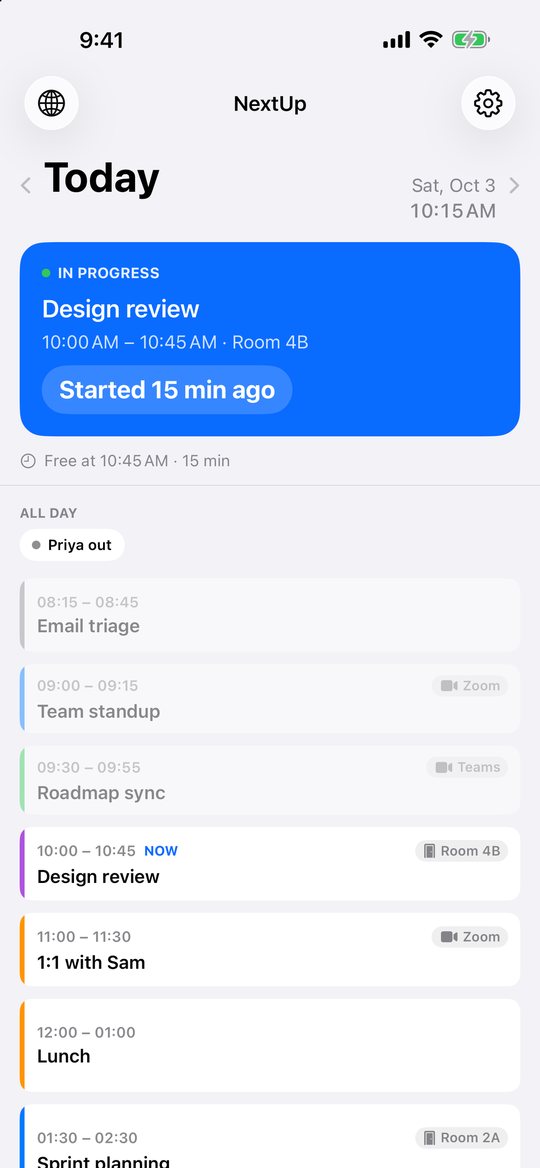
Built around one question
What do I need to be ready for right now?
What's next, at a glance
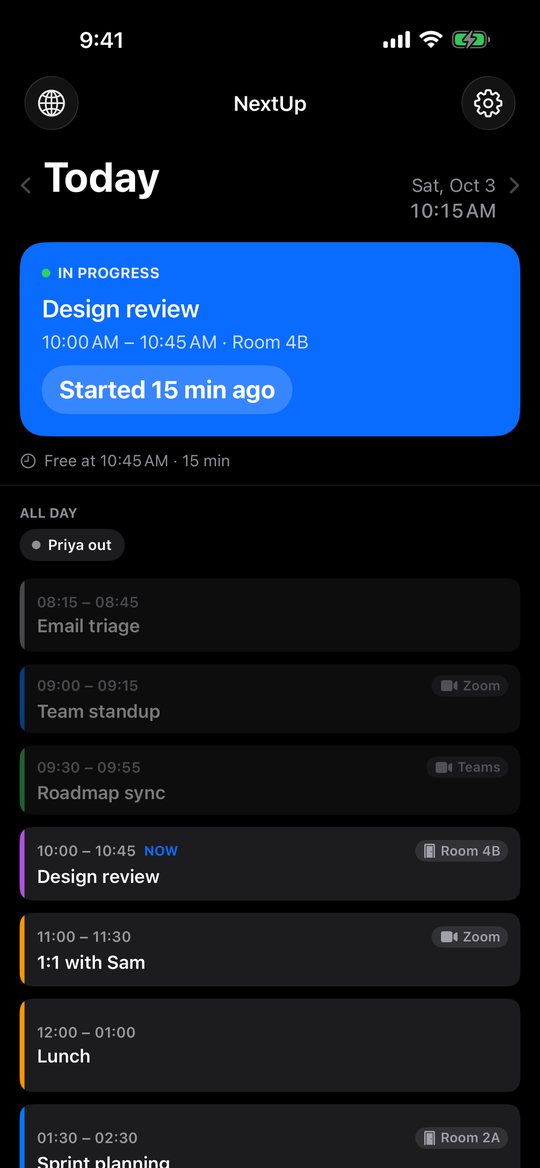
A pinned card shows the current or upcoming meeting with a clear countdown, and when you're free next.
Overlaps, sorted out
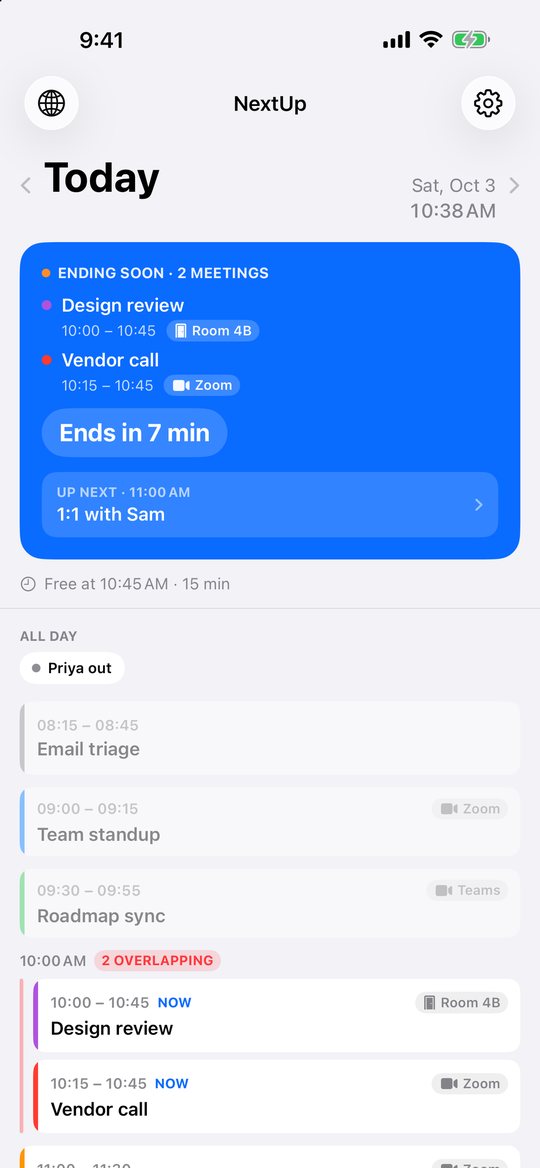
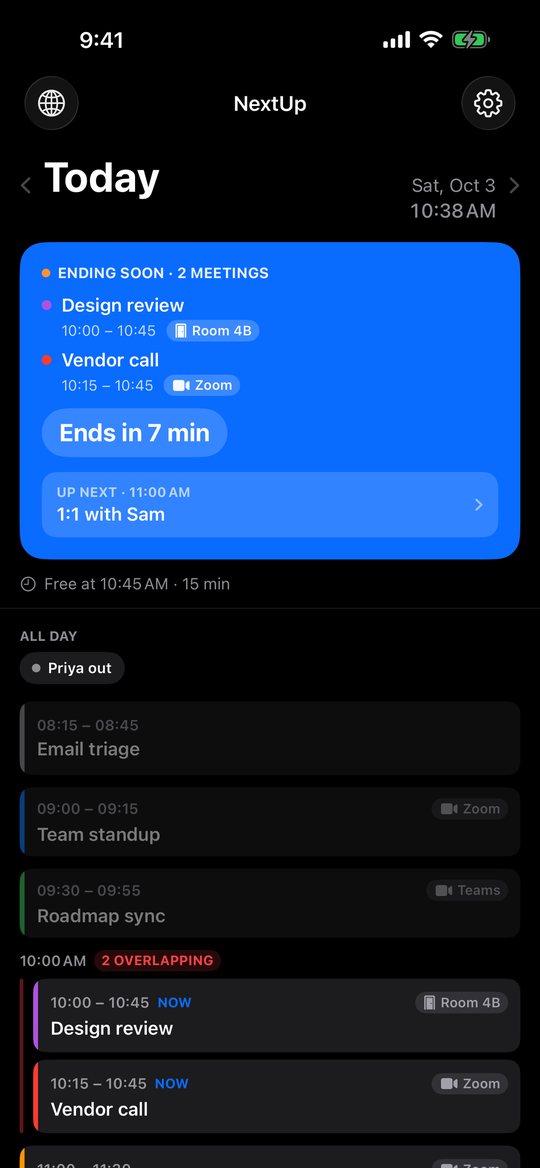
Double-booked? Every conflicting meeting is stacked together, with its room or video link beside it.
A day you can read
Opens scrolled to the present. Swipe between days, with finished meetings dimmed and all-day events kept out of the way.
Reminders & widget
Optional reminders before each meeting, and a widget so you can see what's next without opening the app.
World Clocks
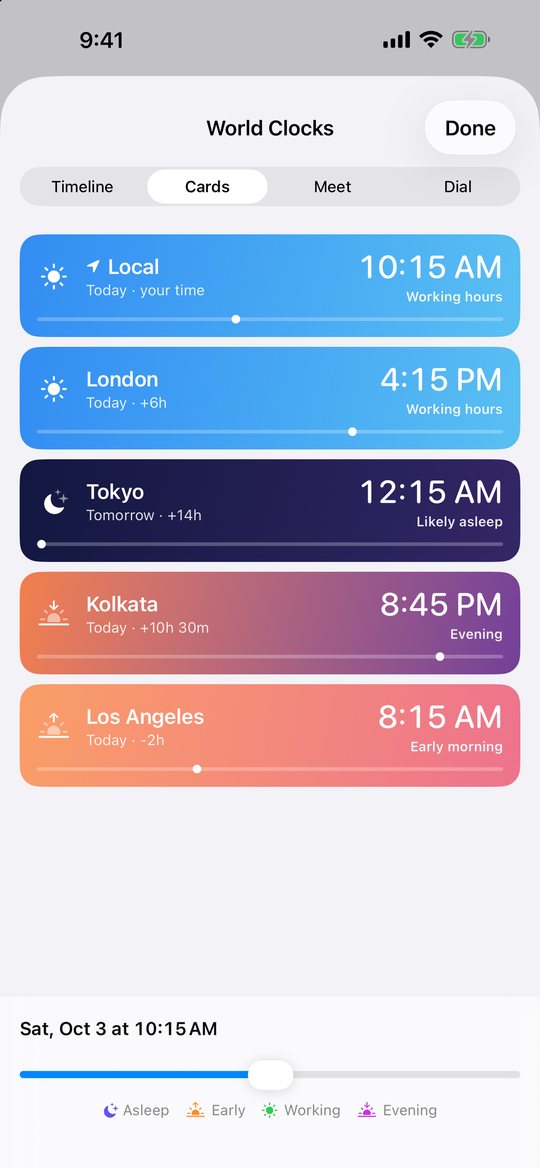
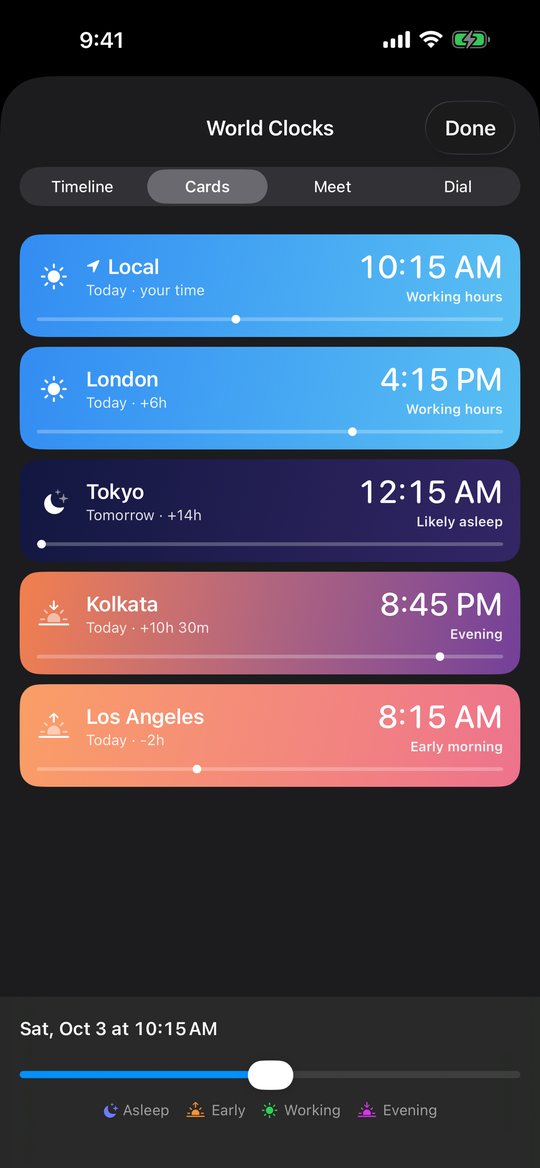
Add any city, state or country. See who's working, who's in the evening, and who's asleep.
Find a time that works
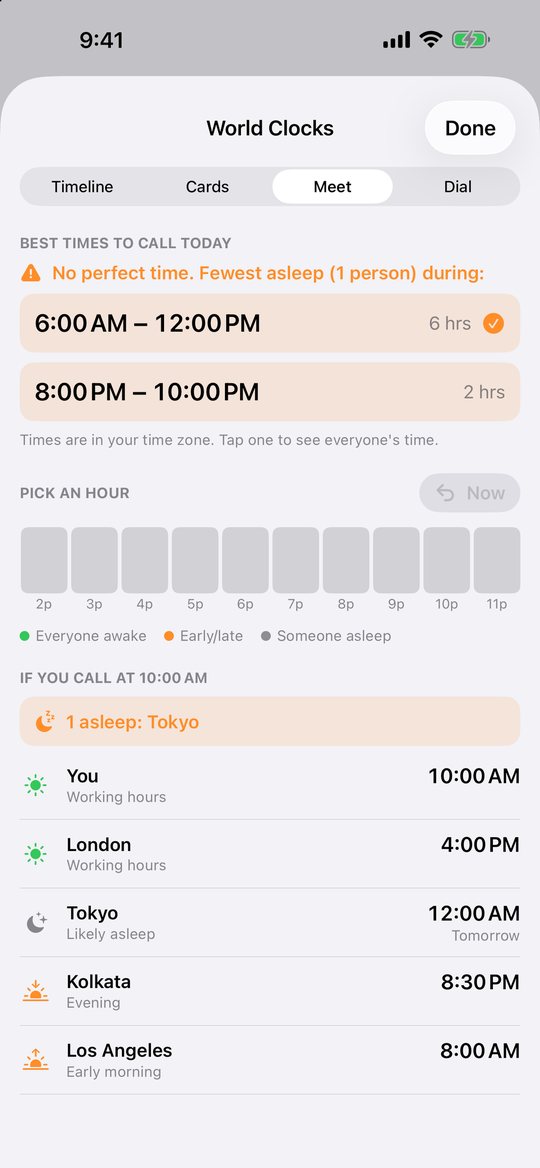
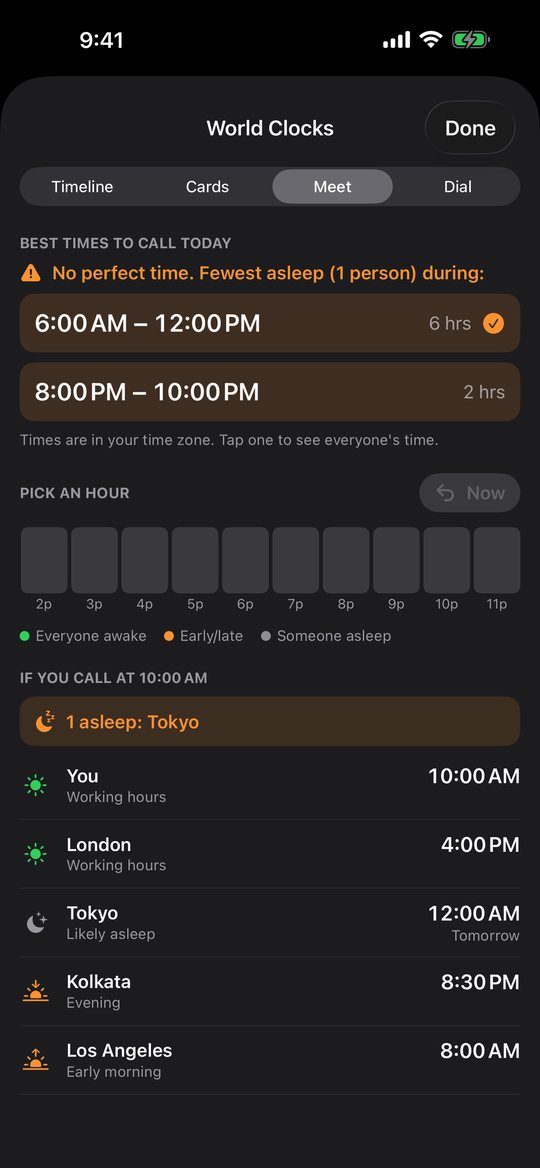
Meet shows the best times to call across everyone's time zones, so you don't wake anyone up.
World Clocks, built for real calls
Scheduling across time zones usually means doing math in your head. Next Up Now does it for you.
- Scrub through the day. Drag a single timeline and every city updates together, so you can see who's working, who's in the evening, and who's asleep.
- Add anywhere. Search real city names, or browse by time zone, state or country.
- Best times to call. Meet finds the windows where the fewest people are asleep and shows everyone's local time for each one.
- Pick the view you like. Timeline, Cards, Meet or Dial. Switch any time and the app remembers your choice.